Linux Server Hardening
Project Background
With approximately 90% of cloud infrastructure and the majority of top web domains powered by Linux, securing these environments is critical. As part of my Cybersecurity Essentials Module, I undertook a project to harden a Ubuntu server against common threats and vulnerabilities.
The objective was to implement host-based security measures on an Ubuntu Linux server to minimize exposure to common cyber threats. I implemented five core security measures designed to harden the operating system against unauthorized access and potential exploits, and presented the idea through a poster and PowerPoint slides.
1. Disable root Login
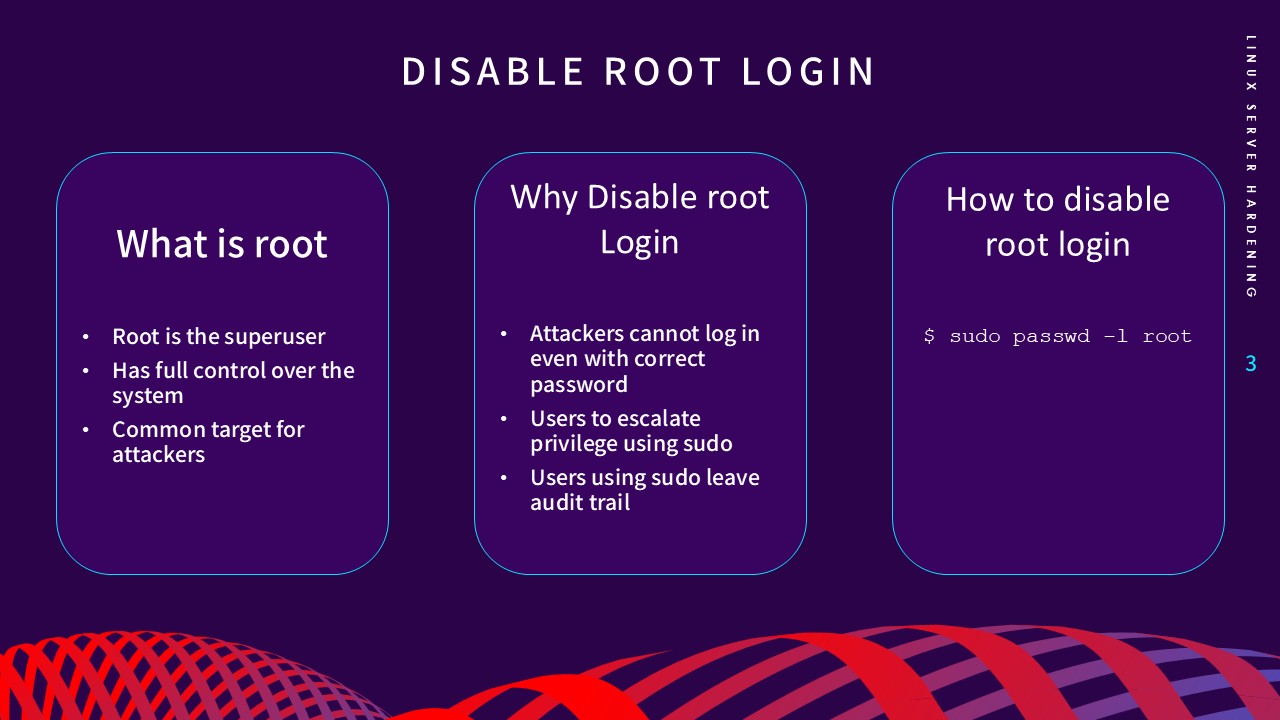
The root account is a superuser with full control over the system,
making it a primary target for attackers. By disabling direct root
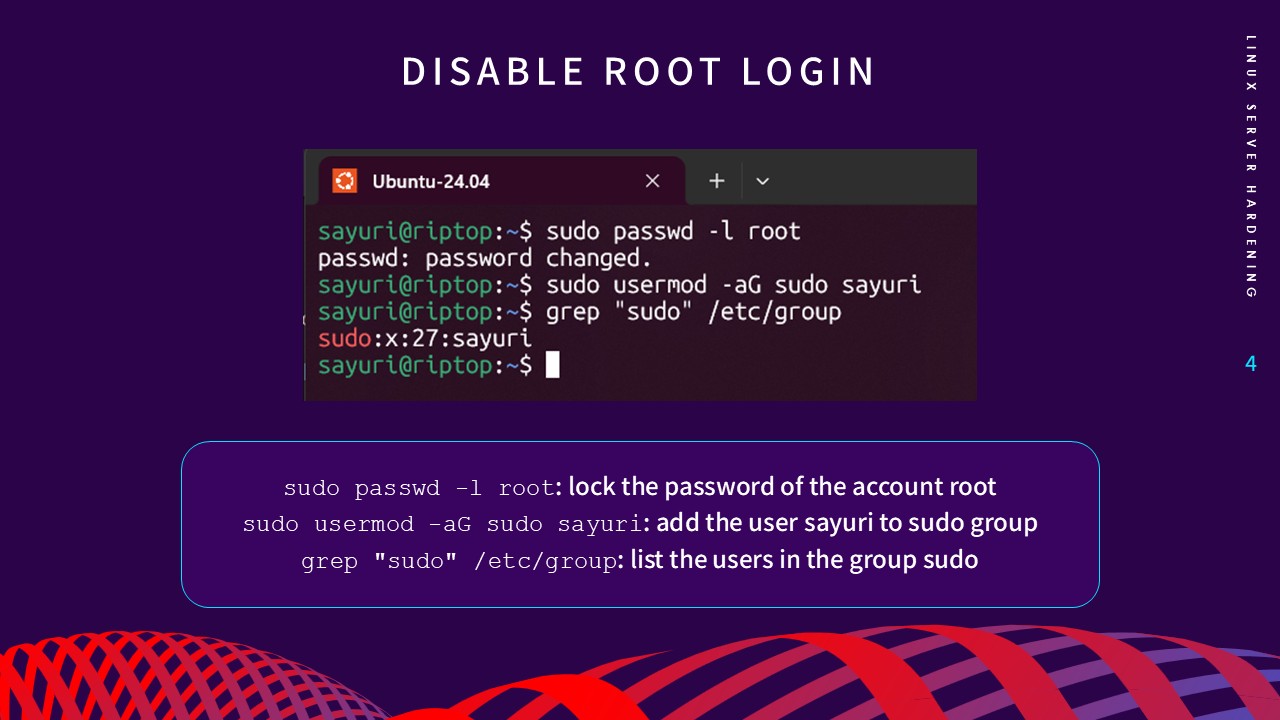
login via
sudo passwd -l root, attackers cannot gain control even with a correct password.
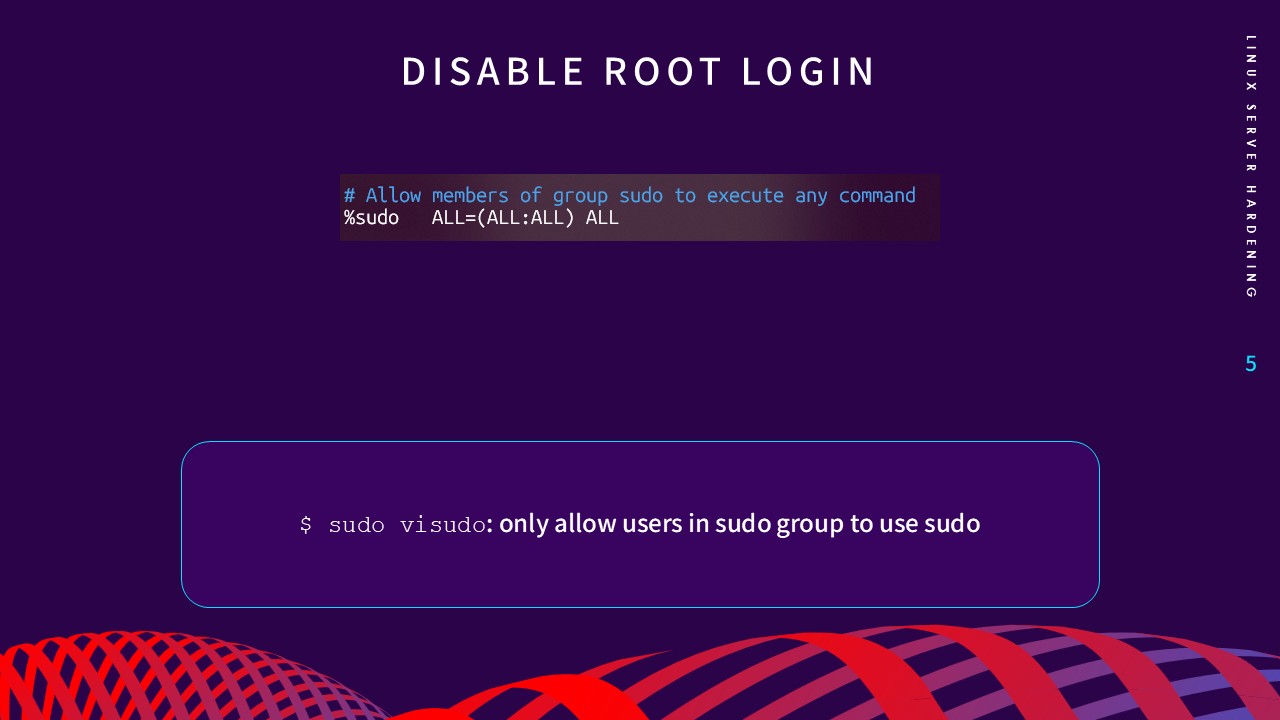
This forces users to use
sudo, which provides a detailed audit trail of all privileged
commands.
2. Remove Unnecessary Services
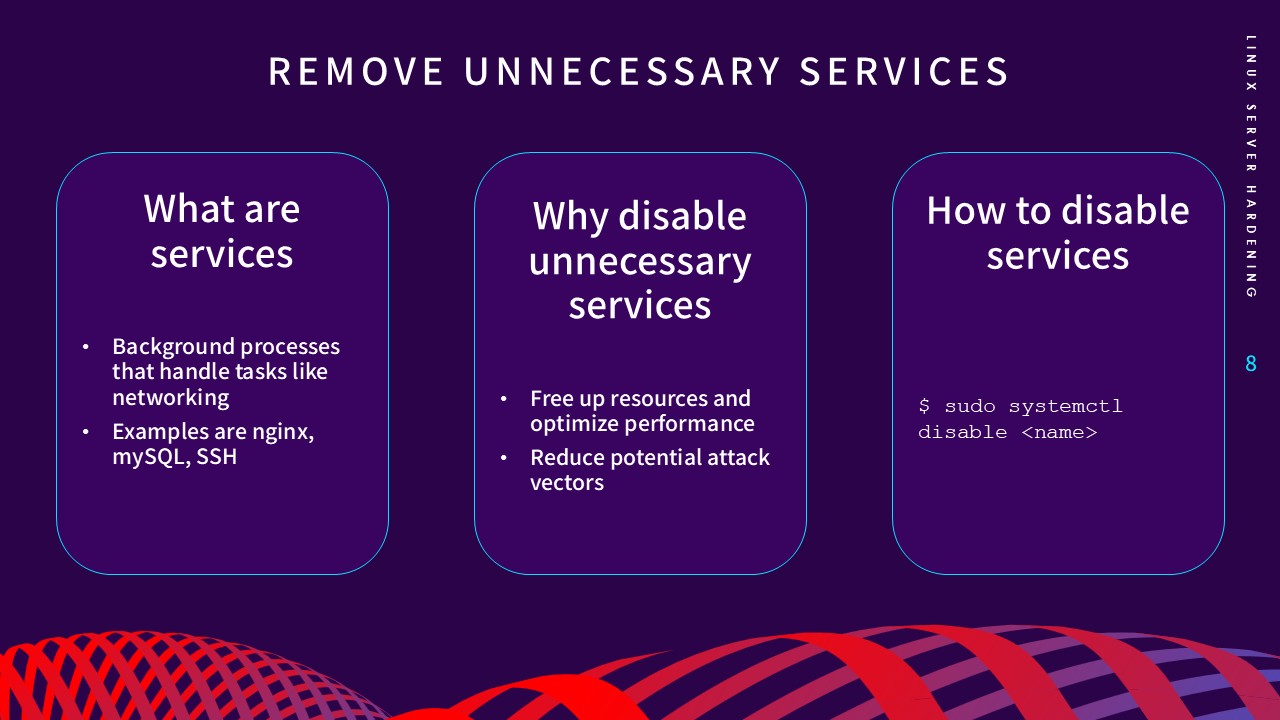
Every running background process is a potential attack vector.
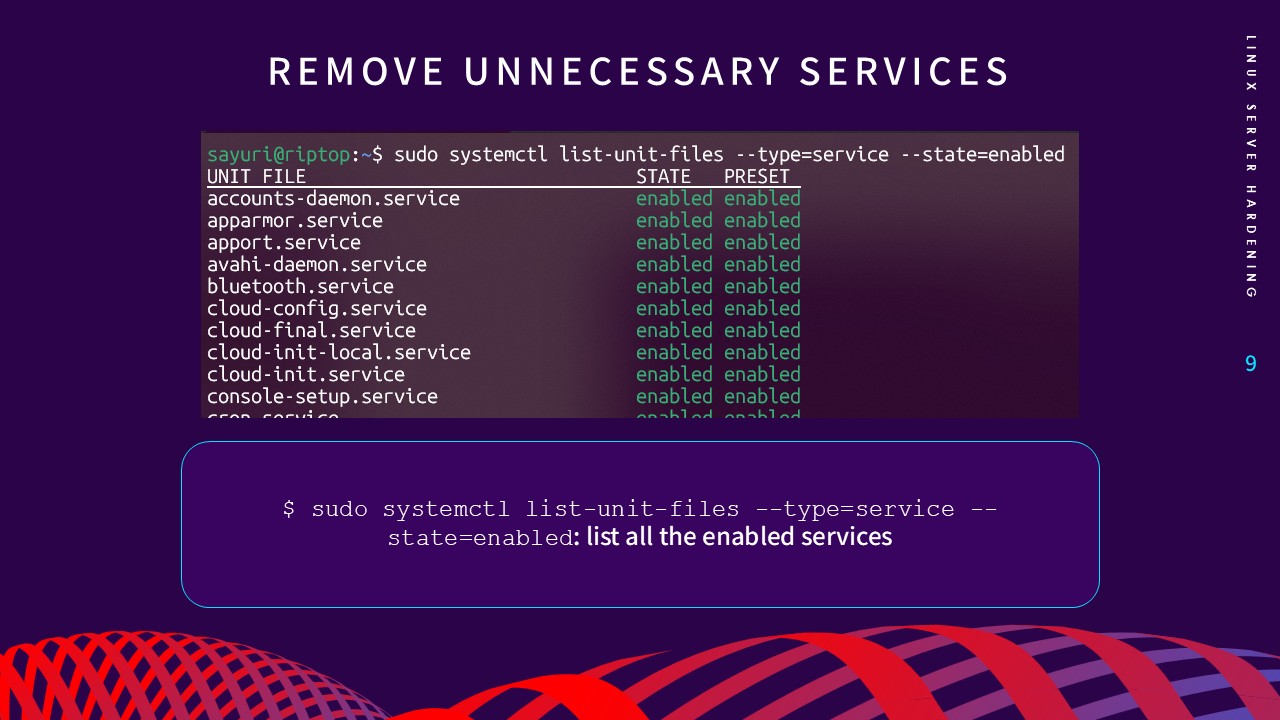
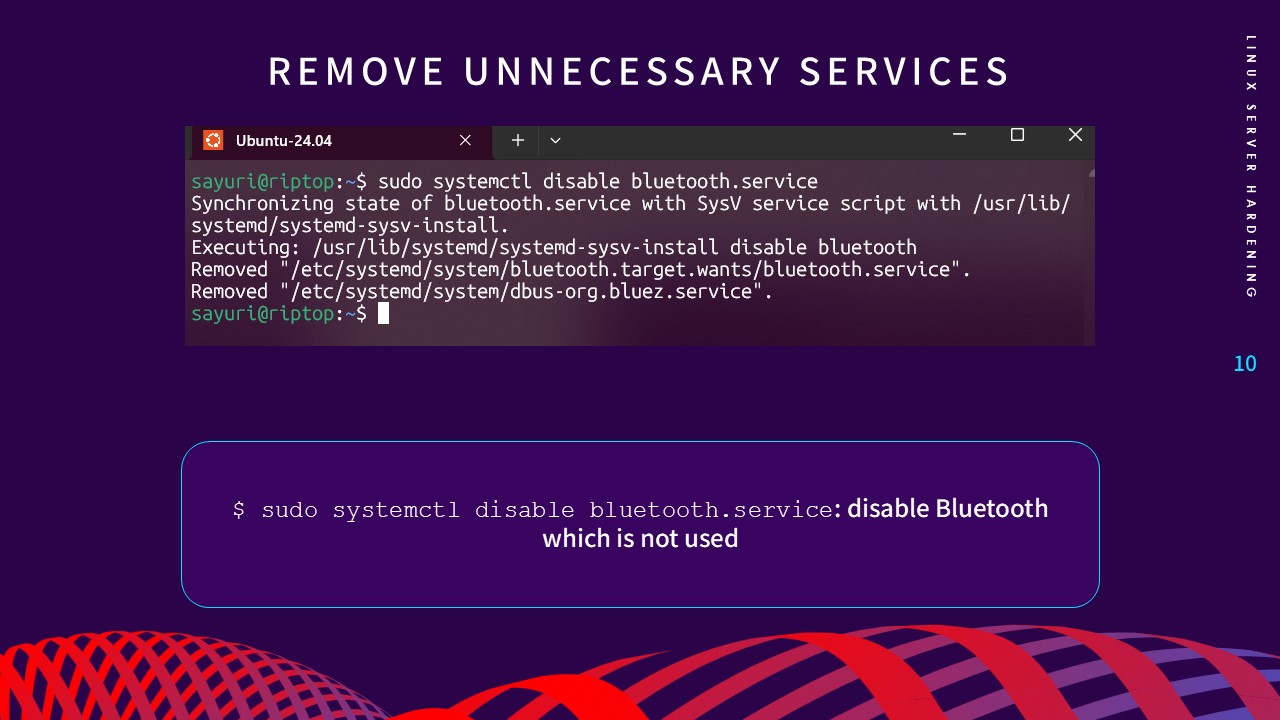
Identifying and disabling unneeded services—such as Bluetooth on a
server environment—minimizes vulnerabilities and optimizes
performance by freeing up system resources. I utilized
systemctl
to audit enabled units and disable services that did not serve the
server's core mission.
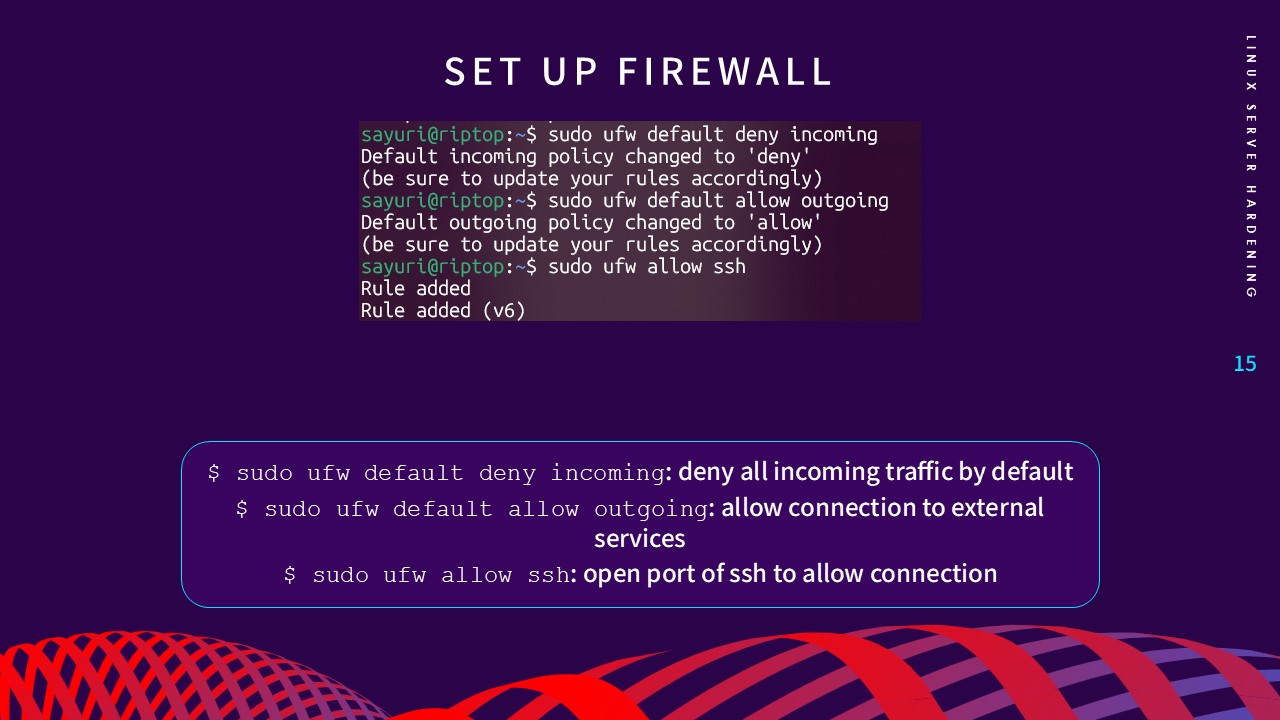
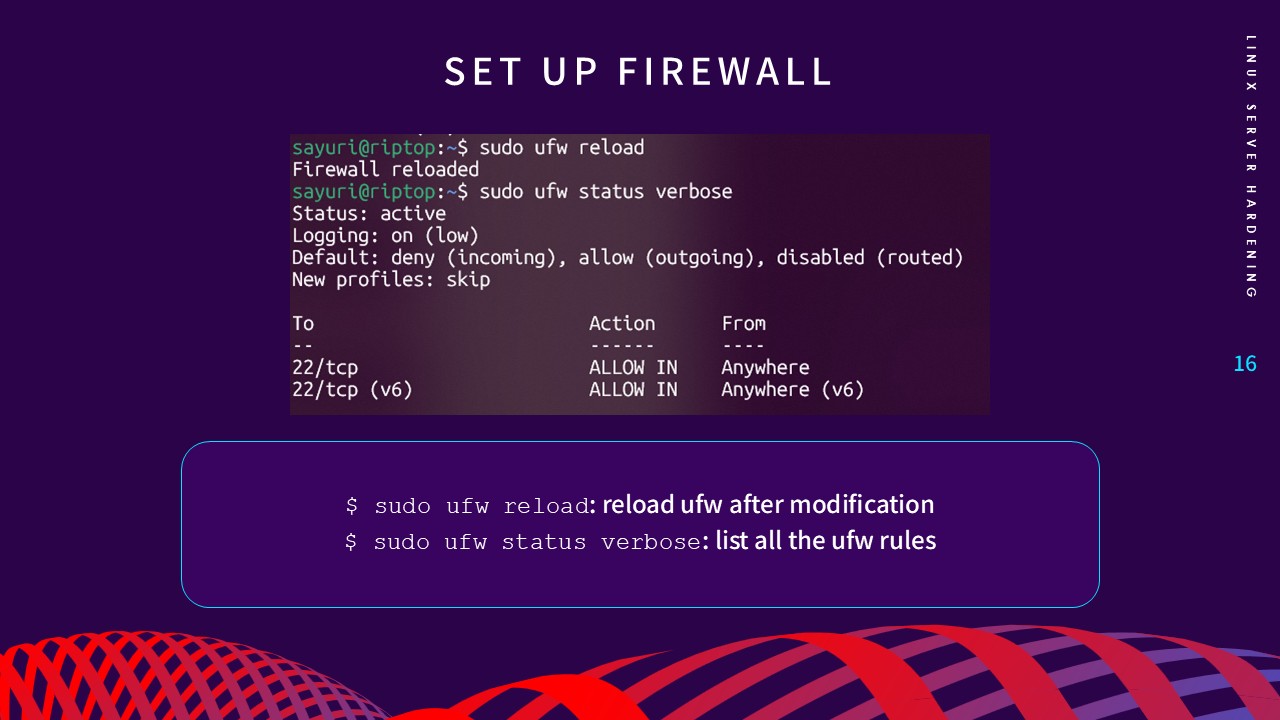
3. Firewall Configuration
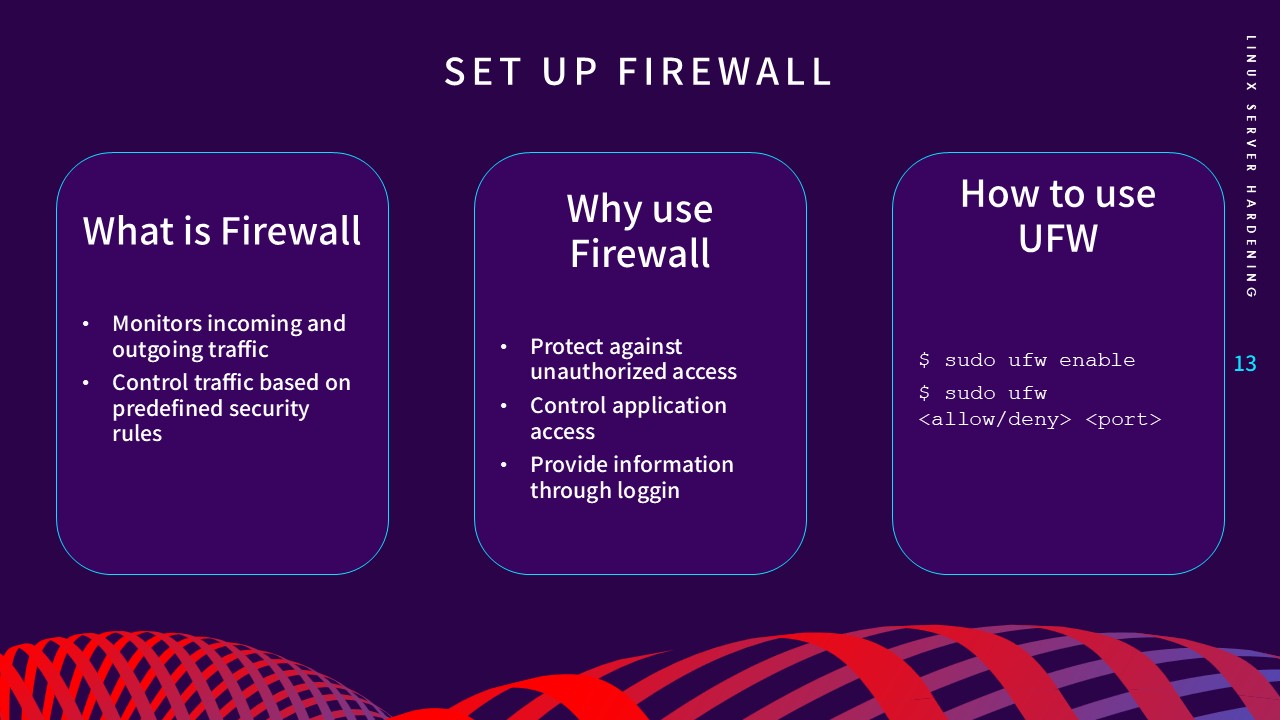
A firewall acts as a monitor for network traffic, controlling
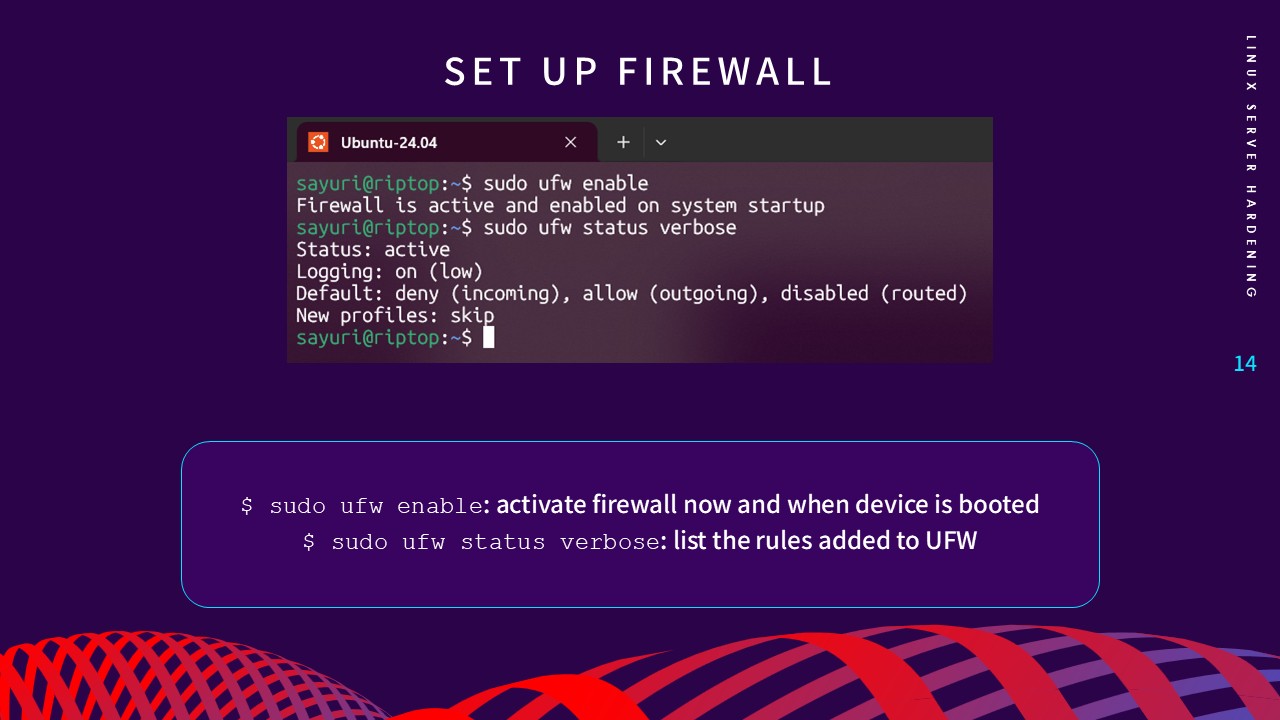
connections based on predefined rules. Using UFW (Uncomplicated
Firewall), I implemented a "Deny-by-Default" policy for incoming
traffic (sudo ufw default deny incoming) while allowing only essential ports, such as SSH (Port 22).
This layer of defense ensures the server is only reachable through
sanctioned entry points.
4. Set Up File Permissions
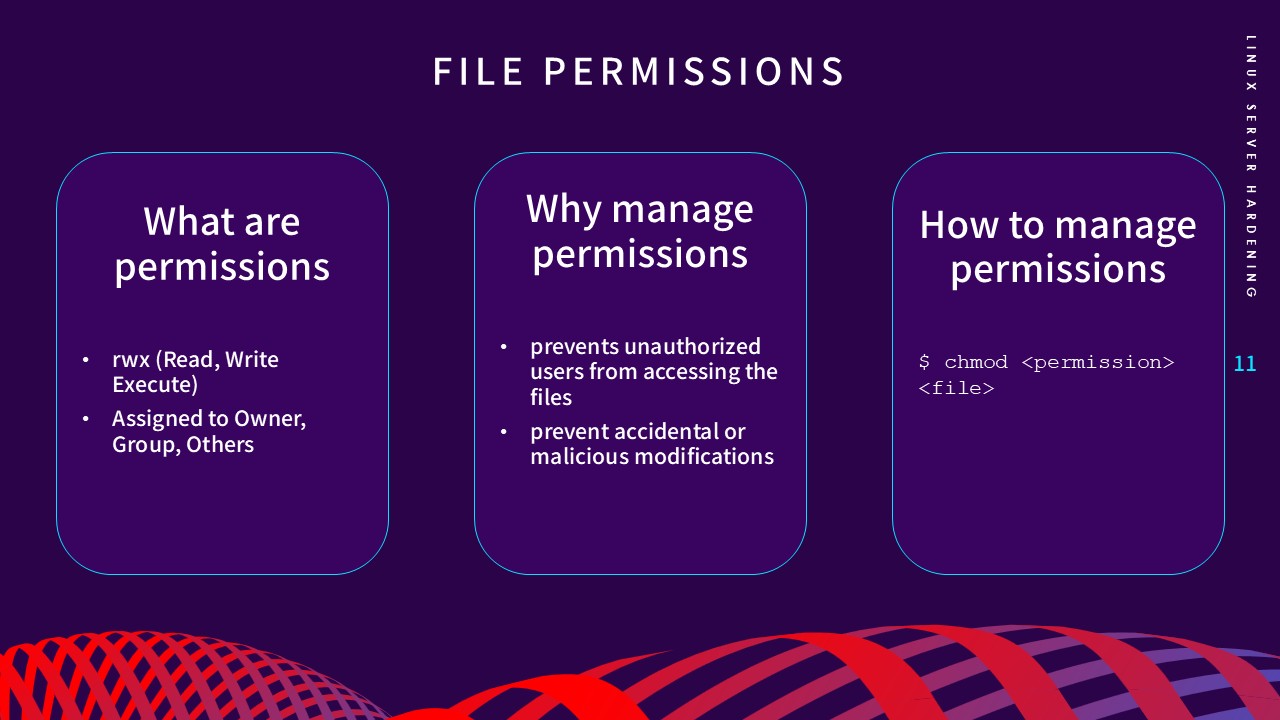
Managing Linux file permissions (Read, Write, Execute) is vital to
prevent unauthorized users from accessing or modifying critical
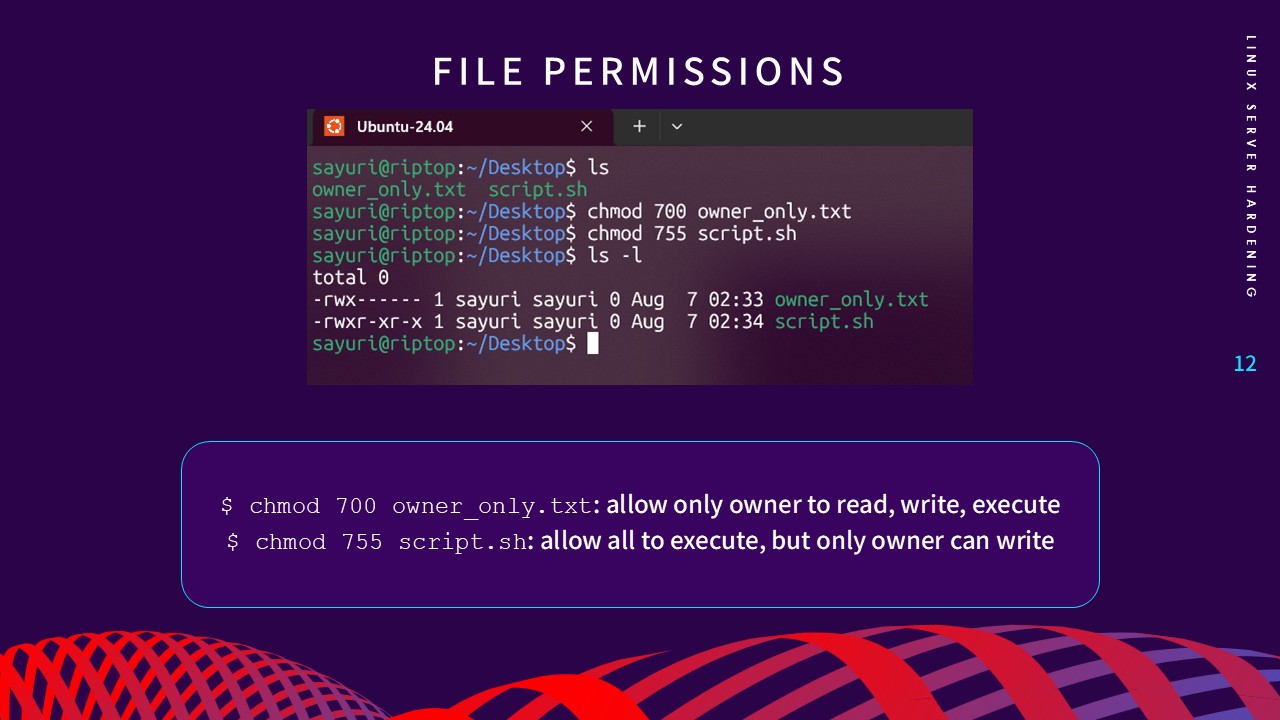
system files. By using
chmod, I configured rigorous access controls—for example,
chmod 700
for owner-only access—to ensure data integrity and prevent
malicious tampering.
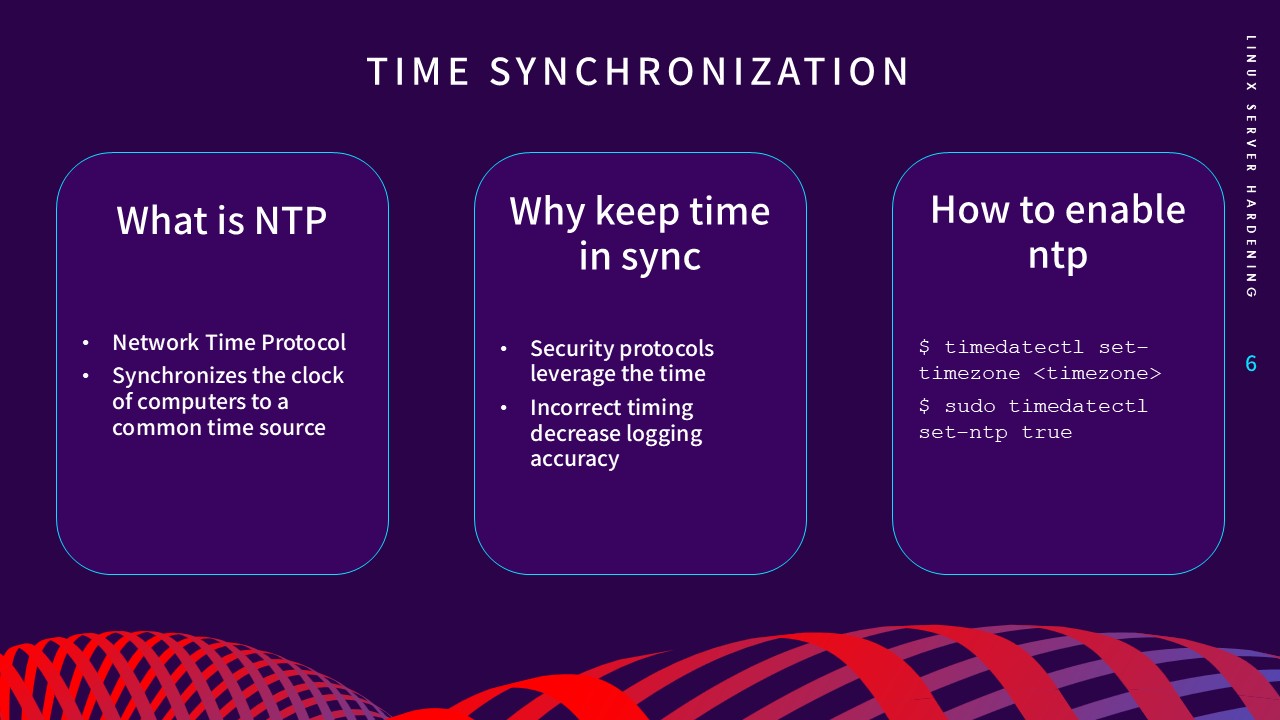
5. Ensure Time Synchronization
Accurate timekeeping via the Network Time Protocol (NTP) is
crucial for maintaining reliable log timestamps. Security
protocols leverage system time, and synchronized clocks are
essential for preventing replay attacks and ensuring forensic
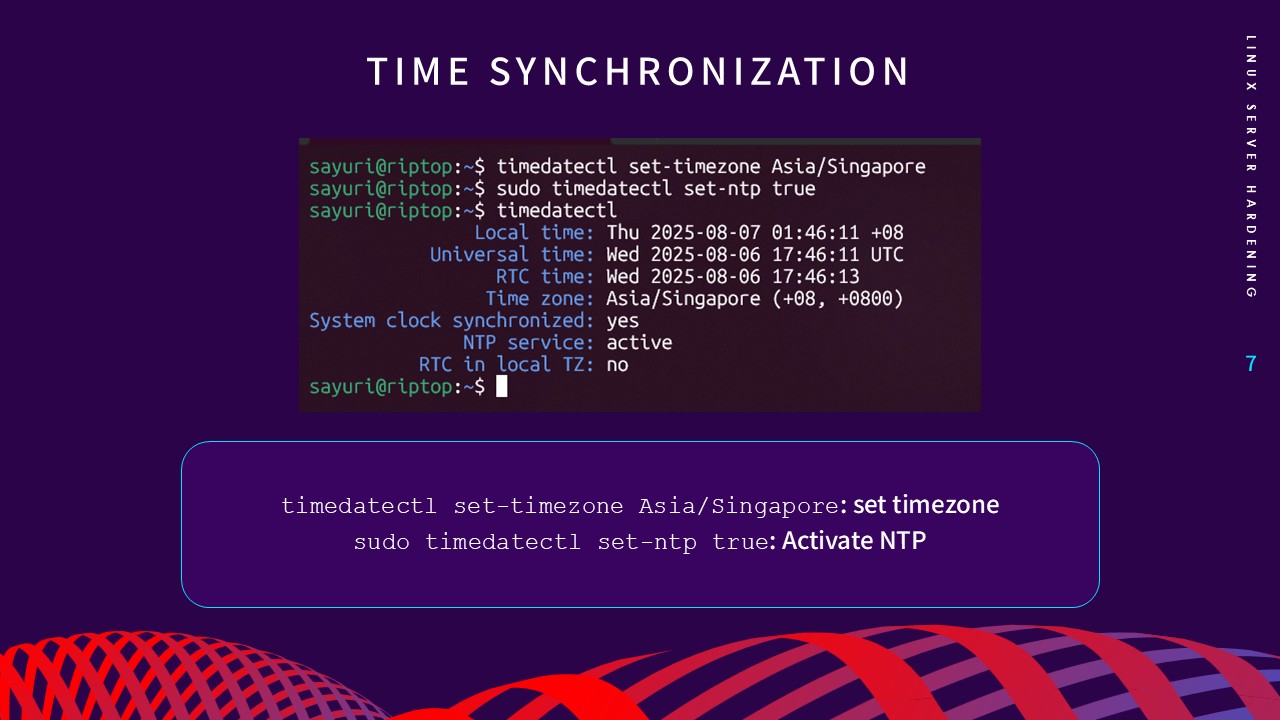
audits are accurate. I activated the NTP service using
timedatectl
to maintain a constant sync with a common time source.
Lessons Learned
This project provided a practical application of foundational cybersecurity concepts. I learned that hardening is not about a single tool, but a layered defense strategy that addresses potential vulnerabilities from multiple angles—authentication, network traffic, and system background processes.
Mastering the underlying mechanics of Linux server security has been essential for my growth as a Cloud Infrastructure student. It reinforced a security-first mindset that I now apply to all my infrastructure deployments, ensuring that every server is built with resilience and defense-in-depth from day one.