Raspberry Pi Home Server
Project Background
Originally conceived as a challenge to move away from paid hosting and learn Linux system administration from the ground up, this Raspberry Pi 4 project has evolved significantly.
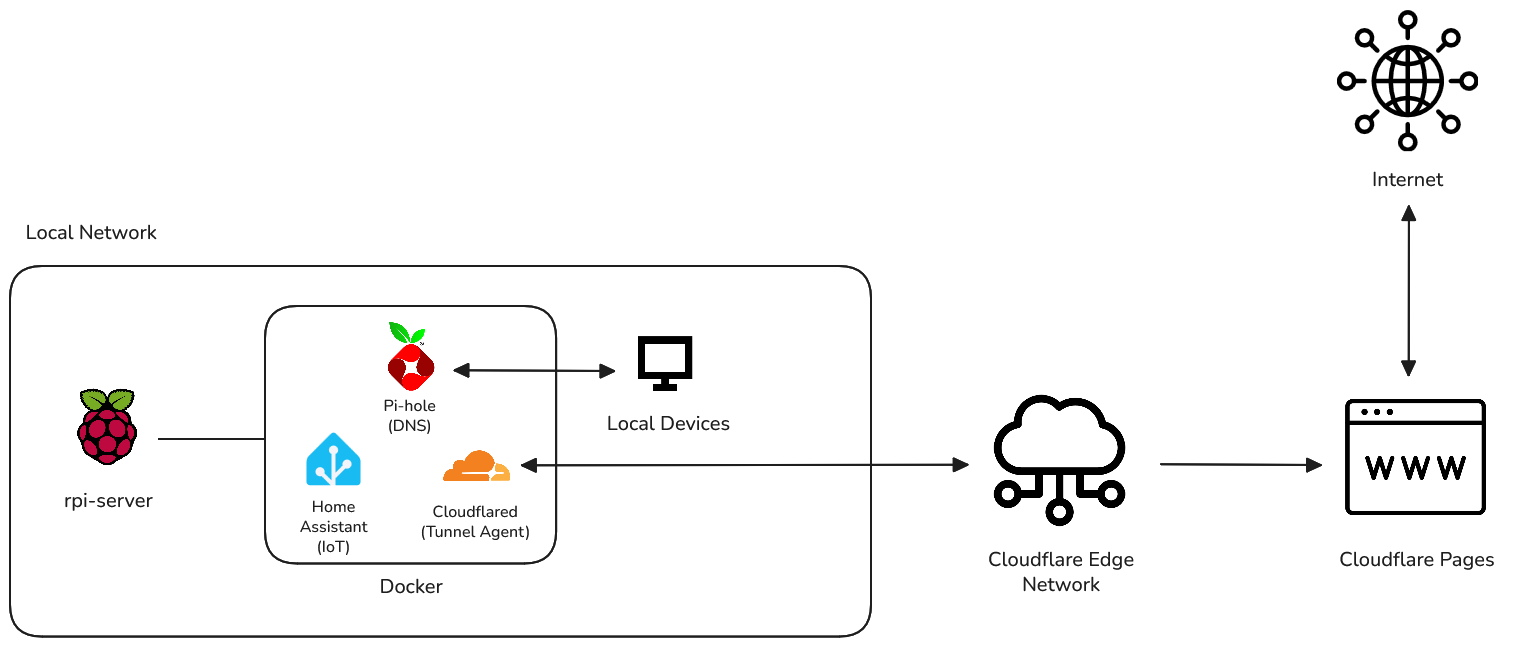
Initial iterations hosted my public portfolio website directly from my living room using Nginx. However, prioritizing performance and security best practices, I migrated the public-facing site to Cloudflare Pages. Today, this server functions as a dedicated, resilient Home Operations Center. Its primary focus has shifted from public web serving to internal network privacy, secure remote infrastructure management, and local IoT automation, serving as my personal sandbox for applying DevOps principles in a real-world environment.
1. Network Privacy & Traffic Analysis
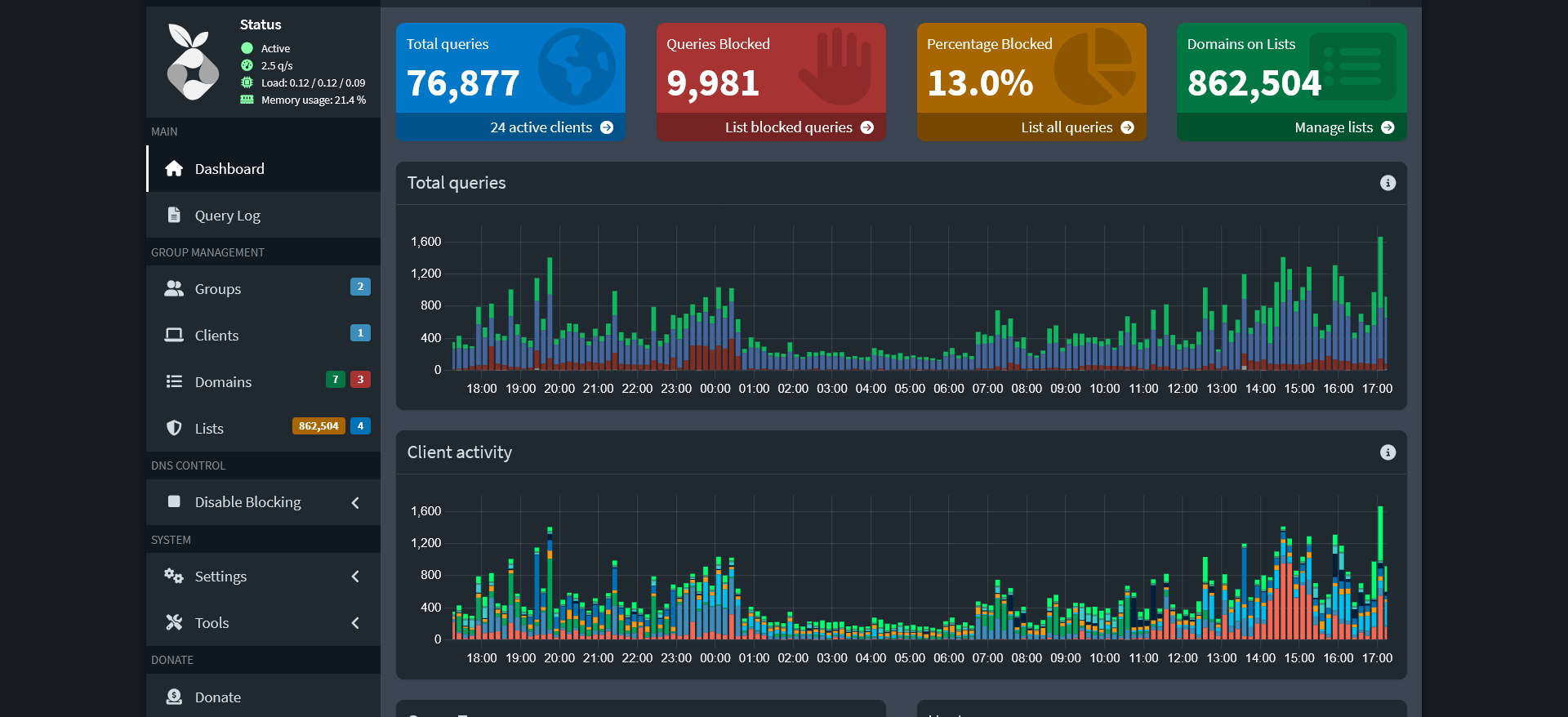
The first line of defense for my home network is Pi-hole, a DNS sinkhole running in a Docker container. By configuring my main router to use the Raspberry Pi for DNS resolution, every device on the network—from smartphones to smart TVs—automatically benefits from ad-blocking and tracking protection without requiring individual configuration.
The dashboard provides real-time insight into network traffic, allowing me to analyze query volumes, identify chatty IoT devices sending excessive telemetry, and maintain custom white/blacklists to ensure both privacy and functionality across the household.
2. Secure Remote Management (Zero Trust)
Managing these internal services while away from home is crucial, but standard methods like port forwarding create significant security risks. To solve this, I implemented Cloudflare Zero Trust Tunnels. This setup allows me to securely access the Raspberry Pi and its services over encrypted tunnels without exposing any ports to the public internet.
A lightweight cloudflared daemon on the Pi creates an encrypted, outbound-only connection to Cloudflare's global network. This allows me to access my local Pi-hole or Home Assistant web interfaces securely via a custom domain protected by Cloudflare Access policies. This setup ensures that only authenticated users can reach the server, and my home IP address remains hidden from the public internet.
3. Container Orchestration & IaC
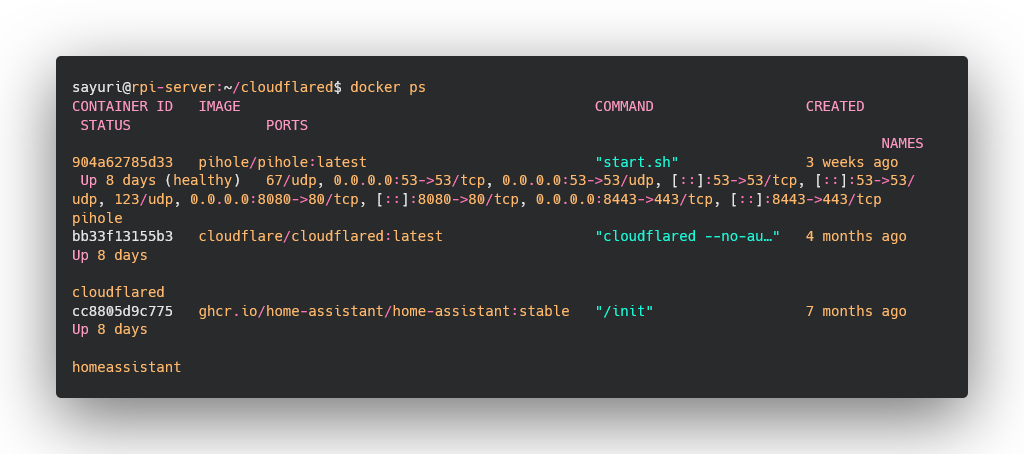
To ensure reproducibility and ease of maintenance, the entire software stack is managed using Docker and Docker Compose.
Pi-hole, Cloudflare tunnel agent, and Home Assistant are encapsulated in their own containers, allowing for isolated environments and simplified updates. This provides resource isolation, easy version control, and the ability to tear down or rebuild the entire setup with minimal effort.
4. Home Automation Hub
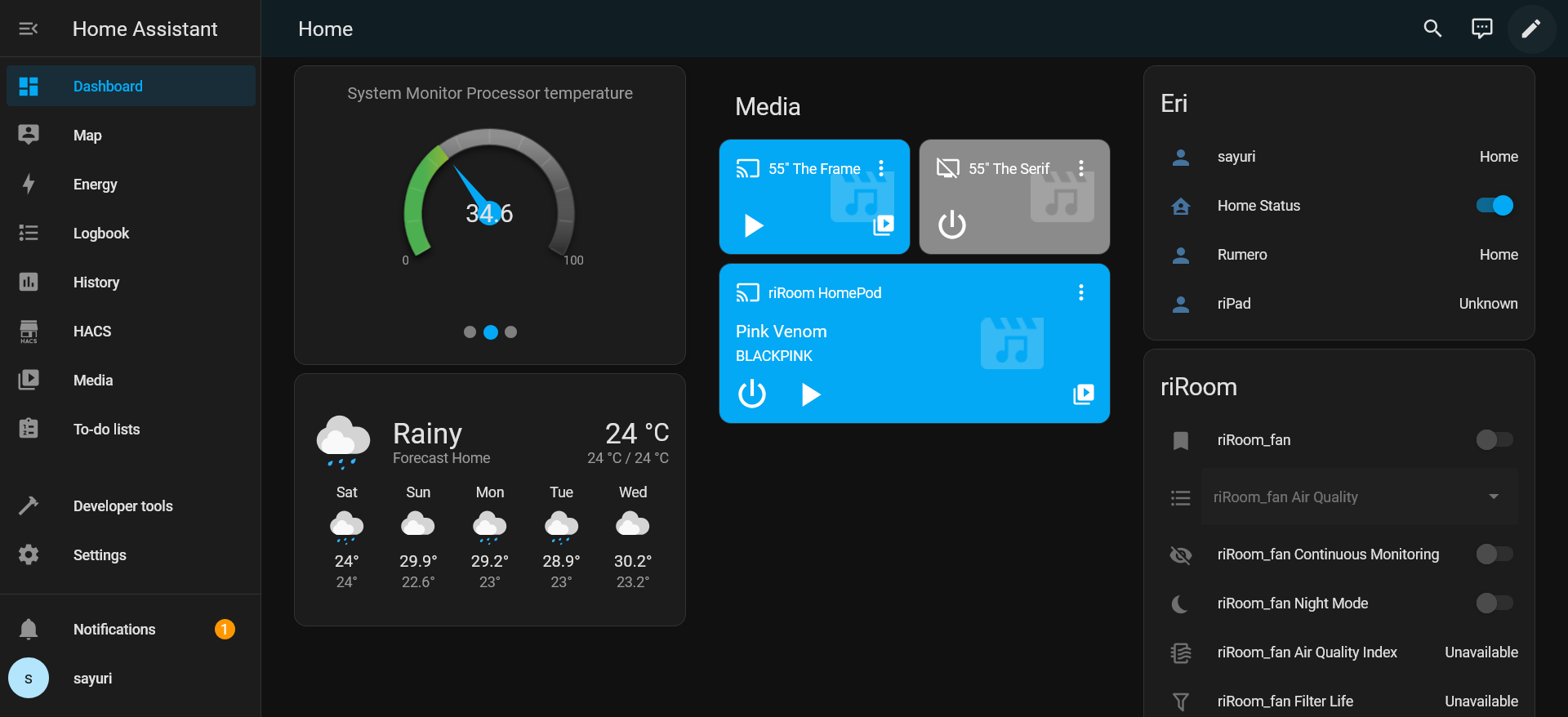
Home Assistant serves as the central hub for managing and automating my smart home devices. Running in a Docker container on the Raspberry Pi, it integrates with various IoT devices such as smart switches, fans, and personal devices.
By running this locally on the Pi instead of relying on vendor clouds, automations for lights and sensors execute instantly and continue to function even during an internet outage. It bridges various IoT protocols into a single, unified interface for monitoring and control.
Lessons Learned
This project was a practical masterclass in modern infrastructure versus traditional server management. The biggest takeaway was understanding the architectural advantage of decoupling public vs. private services—migrating my portfolio to the edge (Cloudflare Pages) while keeping private infrastructure local drastically improved both security and performance.
I gained deep hands-on experience with Linux networking, realized the immense value of containerization for stable deployments, and moved from theoretical knowledge to a practical implementation of Zero Trust security principles.